
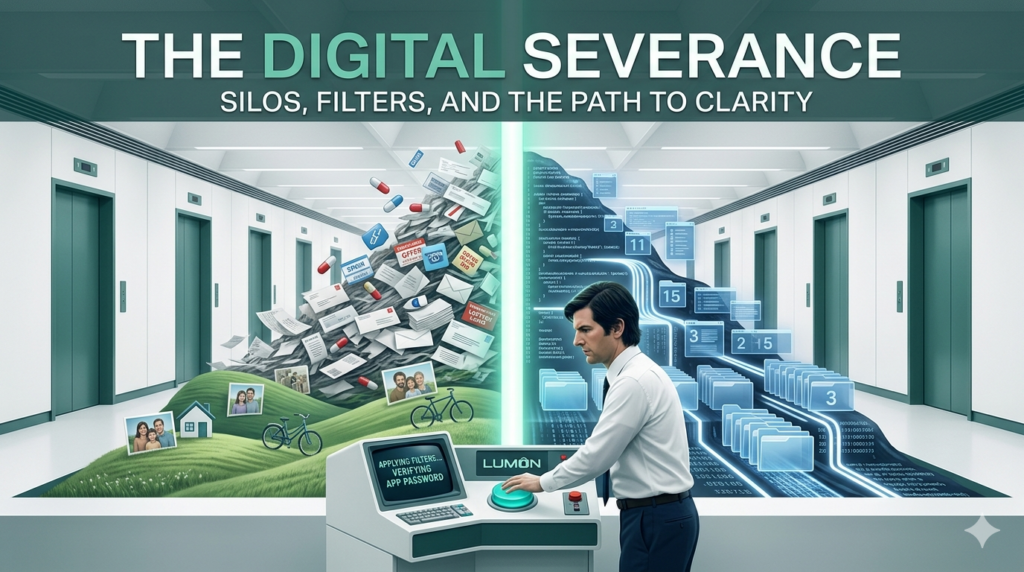
In the Apple TV+ series Severance, characters undergo a procedure to surgically divide their work memories from their personal ones. Mark Scout steps into an elevator, and suddenly, his “Outie” (personal life) vanishes, replaced by his “Innie” (work self).
While the show is a dystopian thriller, as a 24-year veteran managing client websites, SEO strategies, and server administration, the concept of a “Severed” life started sounding less like a nightmare and more like a productivity dream.
The Problem: The Un-Severed Life
For two decades, my digital architecture has been the opposite of severed. It was a tangled, overlapping mountain of data. Legacy Gmail accounts from 2004, server-side technical alerts, regional project communication, and family emails were all crashing into the same single inbox.
When your work and personal lives share the same digital real estate, you lose the ability to focus. You’re deep-diving into a client’s server logs, but a retail coupon or a family update flashes across the screen. Your brain is forced to context-switch, and the “recovery time” to get back into a deep-work state can take up to 20 minutes.
The Solution: The “Digital Trinity” Architecture
Today, I finally performed my own version of a “severance” procedure—no surgery required. By moving away from “everything-bucket” browsers and utilizing Thunderbird Profiles, I built a three-lane highway with hard visual and technical barriers:
The “Innie” (Professional): A dedicated DTD-Professional profile. This is the engine room for IT consulting, client web management, and server administration.
The “Silo” (Special Projects): A high-energy, noir-themed profile for my regional networking and magazine work.
The “Outie” (Personal): A clean sanctuary for family, neighbors, and personal history—completely invisible during my professional workday.
The Tools of the Procedure
To ensure these silos stayed separated and clean, I utilized a specific stack of 2026-ready tools:
Surgical Forwarding: Instead of “catch-all” domain forwarding which invites a mountain of spam, I used individual cPanel forwarders to route legacy mail into the correct lane at the server level.
QuickFilters: This “magic wand” tool allows for on-the-fly organization. I can drag a server alert to a folder once, and a permanent rule is created in seconds.
FiltaQuilla: This adds automation “superpowers,” like silencing notification pings for automated server logs so they are filed silently without breaking my focus.
Account Colors: By assigning a unique color palette to each profile (Navy for DTD, Noir for projects, Soft Green for personal), I have an immediate visual anchor telling me exactly which “self” is currently active.
The Result: Psychological Freedom
The most profound shift isn’t just a clean inbox; it’s the mental clarity. When I’m in my professional profile, my screen is clean, my focus is sharp, and there is zero chance of an “Outie” distraction pulling me out of the flow.
Our digital lives aren’t getting simpler. If you haven’t audited your own “digital plumbing” in a few years, you’re likely leaking mental energy every time you check your mail. It might be time to step into the elevator and build your own silos.
Is your digital life severed, or is it a mountain? If it’s the latter, a rebuild might be the most productive thing you do this year.